How to Delete Scorecards?
Overview
This article will help you understand how to delete a Scorecard and the impact of deleting the scorecard.
Pre-requisite
Users need to have a “Delete Scorecard” permission which can be located under the post application bucket.
Step by Step Instructions
Through Manage Scorecard
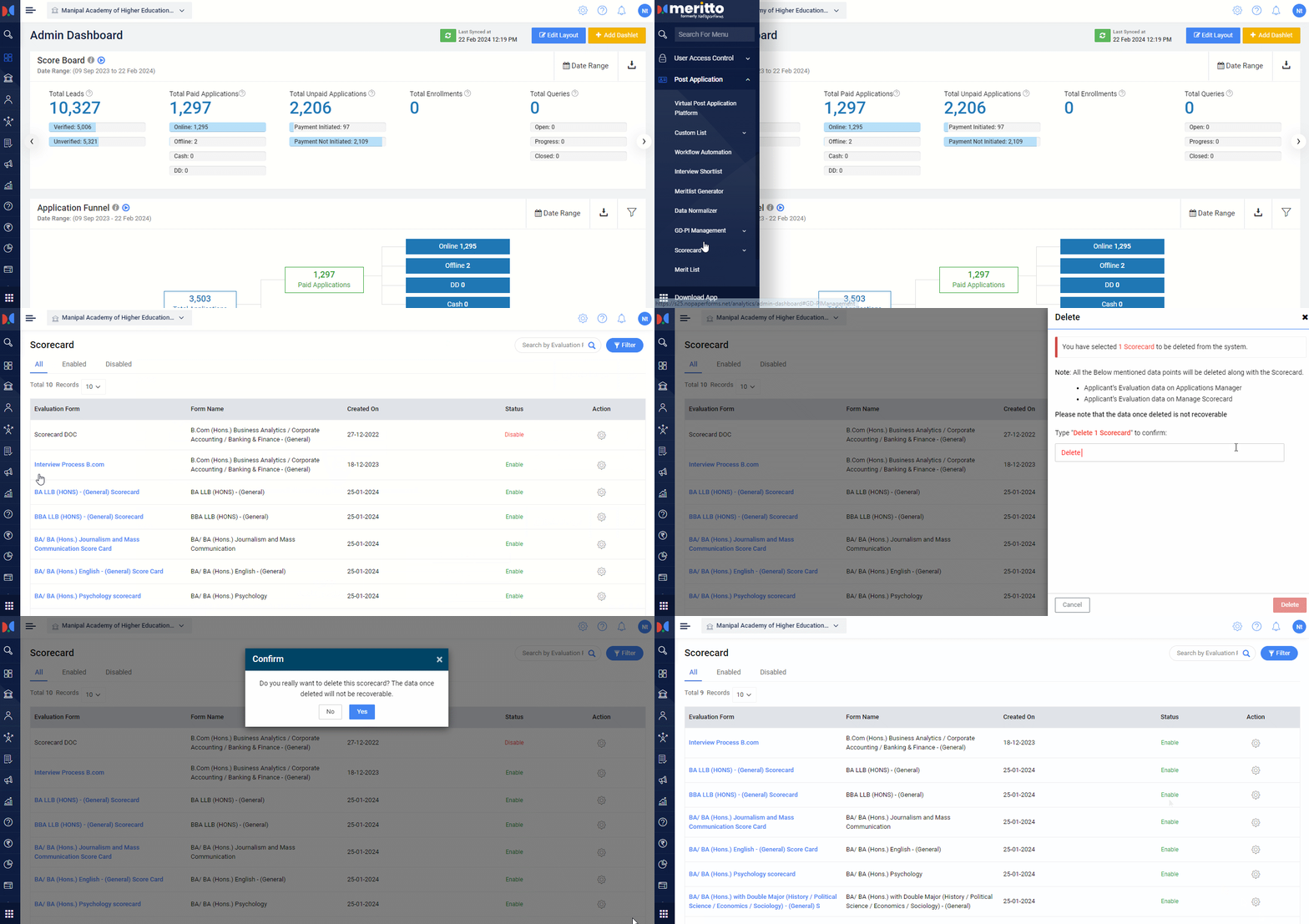
- Navigate to the Post Application listing in the menu, then navigate to the Scorecard.
- Click on Manage Scorecard (or search Manage Scorecard in the search bar in the menu). You will get to see the list of all scorecards.
- Click on the single Action button
against a scorecard. You will see the delete option against the scorecard(s) which are in the disabled mode.
- Click on the Delete button. Once clicked, you need to confirm by typing “Delete 1 Scorecard” and then click on the Delete button.
Through Virtual Post Application
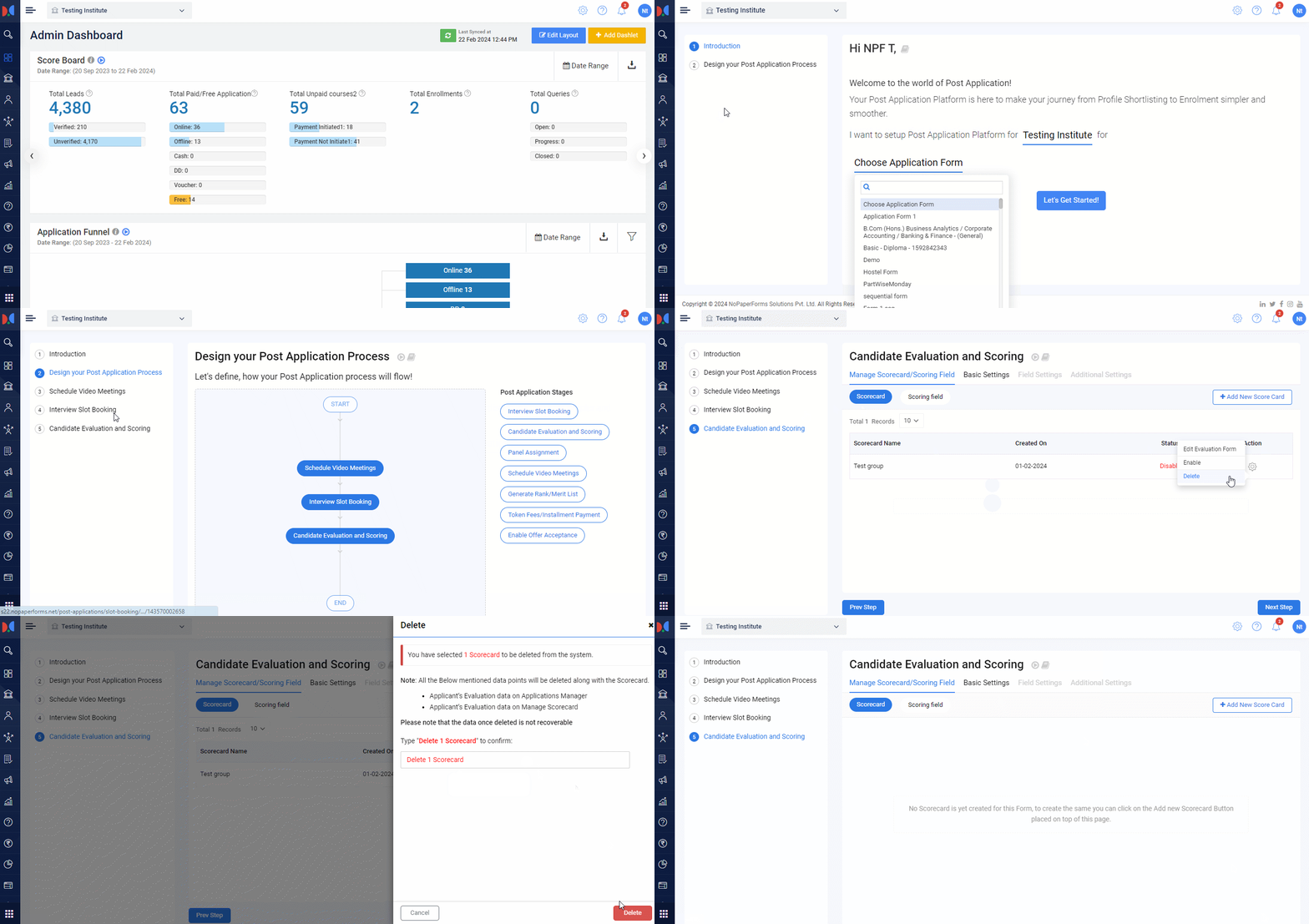
- Navigate to the Post Application listing in the menu.
- Click on the Virtual Post Application (or search Virtual Post Application in the search bar)
- Select the Institute and Form Name, and click on the Let’s Get Started button.
- Navigate to the Candidate Evaluation and Scoring.
- On the listing page click on the Action button
corresponding to the disabled scorecard.
- Once clicked on the Delete button the you need to confirm by typing “Delete 1 Scorecard” and lastly clicking on the Delete button.
Finally, the scorecard is deleted and is no longer visible to any user.
Conclusion
Deleting a scorecard is a straightforward process but can only be done for disabled scorecards. Ensure you have the necessary permissions before proceeding. Once deleted, the scorecard is permanently removed and will no longer be accessible to any user.